 Casino
  Promos
  Sign Up
  Search
 Discover
  Slots
Slots  Jackpot
  All Games
 Login and Verification Guide at SpinShark UK
Casino SpinShark has over 5,000 real money games and more than half a dozen active promotions. Players can also make deposits and withdrawals within seconds using solutions like Visa, bank transfer and cryptocurrency. You get access to these features and services the moment you complete the registration process. Only users who are 18 or older qualify to leverage this opportunity.
Gamers can sign up and sign in on mobile as well. In addition to having a fully functional mobile website, we’ve also got Progressive Web Apps for Android and iOS. You can create an account today to start safe and rewarding gambling online.
Guide to Complete SpinShark Sign Up in 2026
Users in the United Kingdom can become members using their smartphone or PC. Once you meet the required age limit and satisfy regional restriction standards, you’re set. You’ll be able to complete this process within 3 minutes. After setting up your account, you just need to verify it to activate its full capabilities. You can begin the SpinShark login registration process when you:
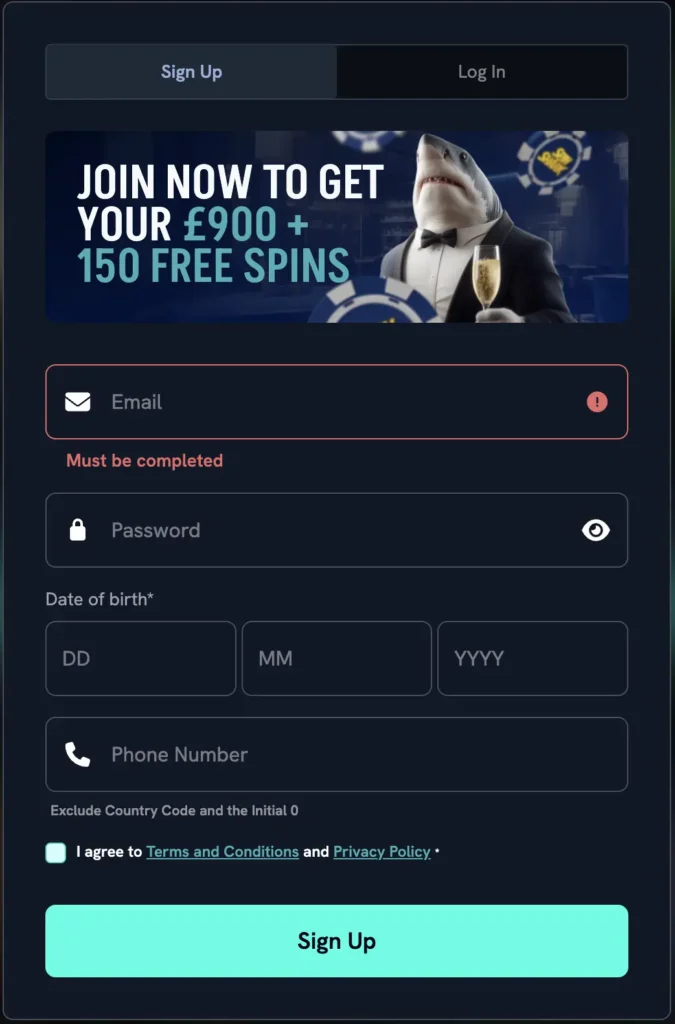
- Enter Sign Up Page – Click on “Join Now” to launch our registration pop-up menu.
- Add Details – Input your email address, date of birth and phone number in the required fields.
- Create Password – Set a unique password for your account.
- Agree to Policies – Tick the age verification and terms and conditions box.
- Register – Complete your registration by tapping “Sign Up”.
Sign Up Requirements
You have to be at least 18 to be eligible for our services. British users also have to be physically present in the country to be able to access our casino’s servers. Additionally, you should have a financial account registered in your name at the point of Spin Shark sign up.
It’s also crucial that you’re able to provide documents to support the personal information you provide during registration. Players who don’t verify their accounts can’t get access to our real money selections. Additionally, you won’t be able to claim any promotions. This also means that you won’t be able to make withdrawals.
SpinShark Verification Process
Players in the United Kingdom have to confirm their identity with us after signing up. You also have to provide details like your current address and proof of your first deposit. This is a necessary measure for satisfying the KYC regulations in the country. It’s also important for keeping you safe.
You need to finalise SpinShark Casino login to authenticate your account. Click on the profile icon and tap “My Profile” in the drop-down menu. Switch to the “Verification” tab to begin this process.
| Documents Required | Examples |
| Proof of Identity | Government-issued identification, such as a driving licence or international passport. |
| Proof of Address | Any utility bill that’s not longer than 3 months. |
| Proof of Payment | Screenshot or PDF containing the details of your first deposit after your SpinShark login. |
How to Sign In
Accessing your account is crucial for leveraging our services in the UK. British users can complete this procedure by providing the email address and password they set at registration. Enter your account and start gaming in 20 seconds. To begin the Spin Shark login process, just tap the “Log In” button. Provide your account credentials and select “Sign In”.
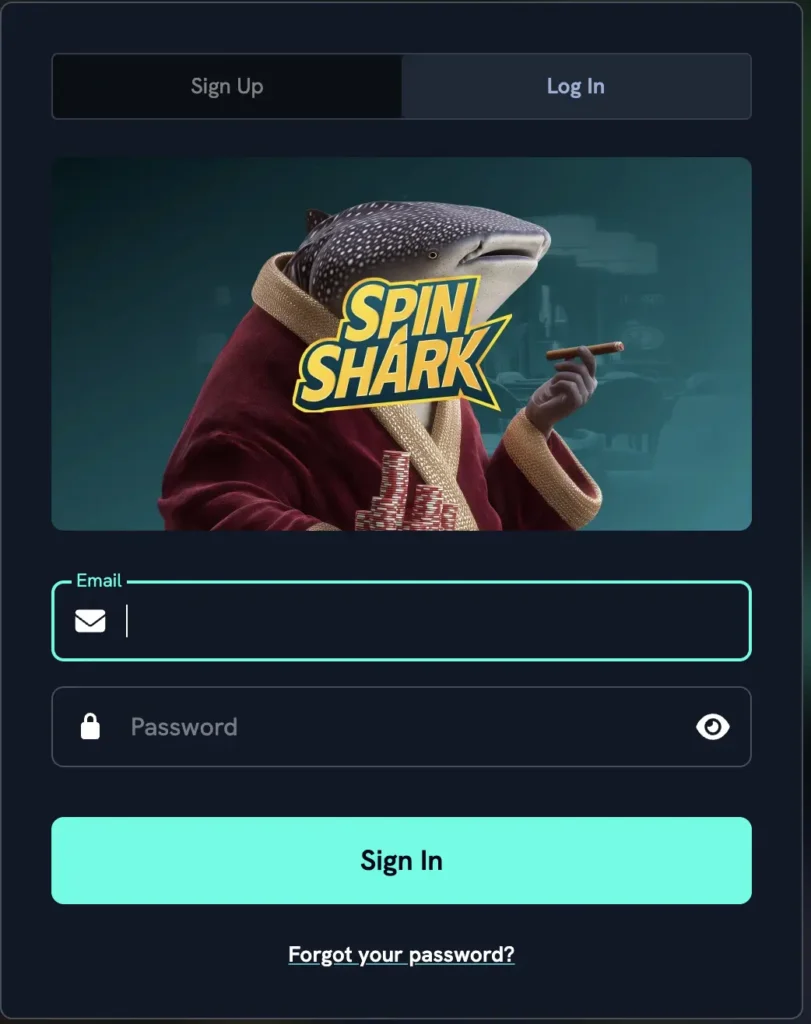
Users can enable two-factor authentication to further increase login access requirements. We recommend you do this if you’re entering our platform via a device you don’t have exclusive control over.
SpinShark Casino Login on Mobile App in 2026
You need our PWA installed on your smartphone to be able to access our platform on the mobile device. Entering your account only takes a few seconds. Once you launch our mobile program, click on the “Log In” button. Add your details in the required fields and tap “Sign In” to complete the procedure.
Existing players don’t need to complete another SpinShark registration procedure to use our software. We have a synchronised database. British gamers only need one account to leverage our services on our PC website, mobile site and mobile program.
Personal Details
Your email, mobile phone number and date of birth are the key personal information we need at the point of registration. After your SpinShark sign up has been successfully completed, we require other details. You’ll be asked to provide this data in the “General” tab in your profile settings.
Other information British players are expected to supply is their first name, last name and gender. You’ll also have to add your city, address and postal code. This data is collected strictly for KYC purposes only.
Possible SpinShark Login Issues and Fixes
The three common challenges new players in the United Kingdom are likely to face are:
| Sign In Problem | What to Do |
| Geolocation Restriction | Only gamers in the UK are allowed to use our site. You may not be able to log in if you’re using a VPN to change your location. Deactivate the VPN and Spin Shark Casino login afterward. |
| Invalid Email or Password | This means you’re using the wrong sign-in credentials. If you can’t find the right information, click on the “Forgot your Password?” link to reset your details. |
| Account Lockout | This happens when you try to use the wrong sign-in information to access your account too many times. Contact our help desk to bypass this Spin Shark login safety feature. |
Account Deactivation Guide
British users can deactivate their account anytime they want. This process takes less than 3 minutes. It’s irreversible, and you forfeit all bonuses and funds in your account when you go through with it. Because of this, ensure that you’ve settled all bets and cashed out your bankroll before you undo your Spin Shark registration in the United Kingdom.
You’ve got to sign in to your account to get started. After that, click on the chat icon at the corner of your screen. Enter the prompt, “Delete account”, in the message field and send. A product expert will contact you within seconds to confirm your decision. Once you do so, they will process the deletion of your Spin Shark sign up details immediately.


